

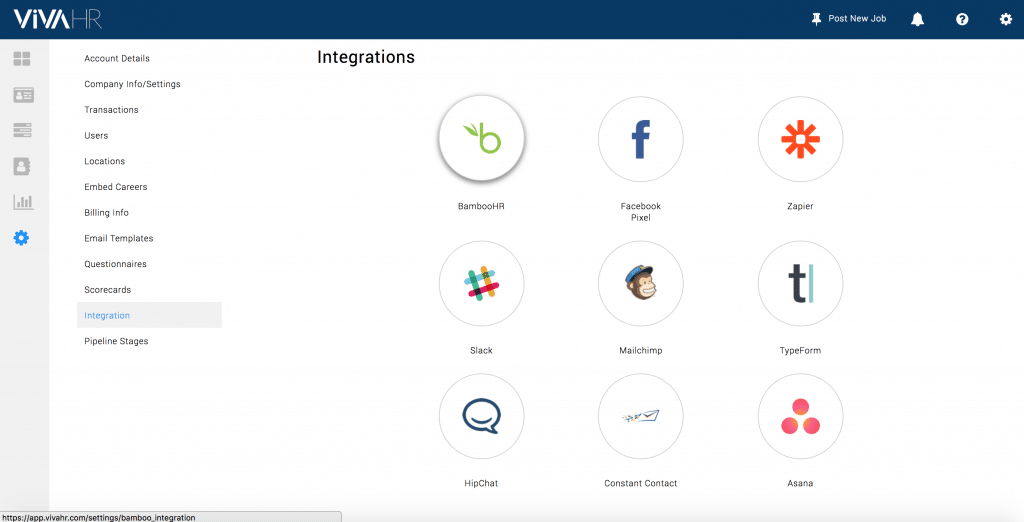
BambooHR is one of the most popular HRIS tools for small & medium-sized businesses. It is a tremendous tool to handle employee on-boarding, time-off tracking, employee database records, and HR reporting.
The AvaHR integration makes it easy to manually export candidates from your AvaHR dashboard and create them as employees in BambooHR.
How to setup BambooHR sync
The AvaHR to BambooHR integration is one-click sync to push candidates from AvaHR into your BambooHR account automatically.
How To Install
To connect your AvaHR account with BambooHR, you'll simply need to create and sync a new integration inside your Integrations portal from AvaHR.
If you're the company admin, log in to AvaHR, go to Settings → Integrations → BambooHR.
- Enter your BambooHR subdomain
- Click "Connect"
- In the pop-up screen, log in to your BambooHR account
Your account is not synced.
How to use BambooHR integration
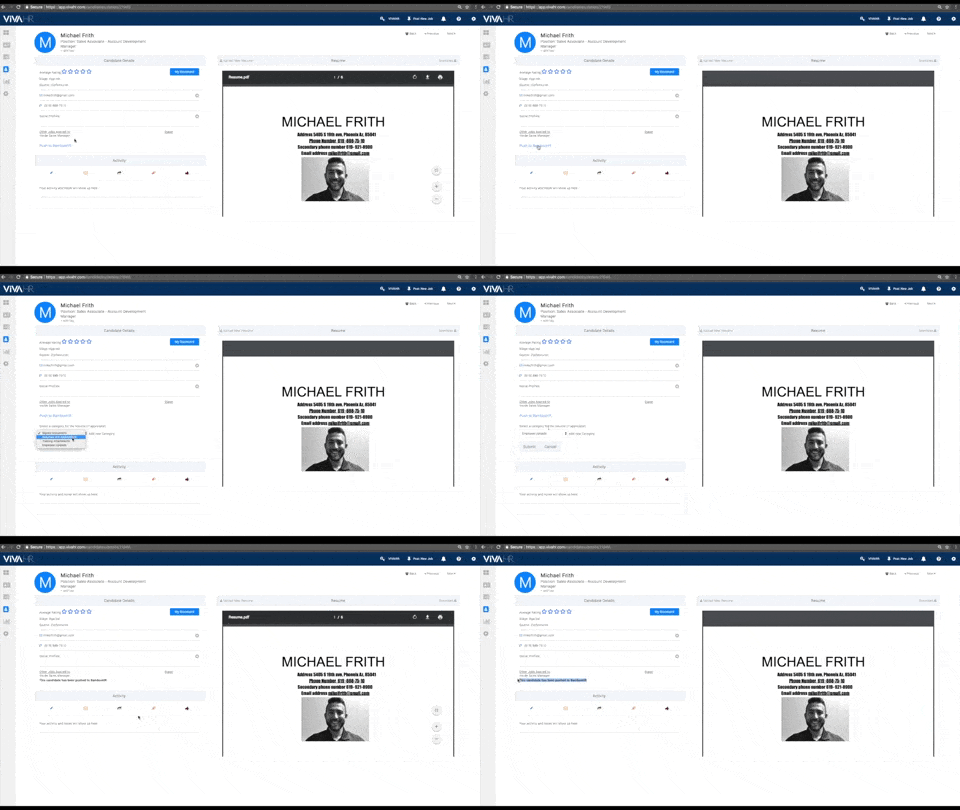
After your integration is in Sync, you'll be able to move candidates from AvaHR to BambooHR with a single click.
Inside the candidate details page, you'll see a new action item in the details section, Push to BambooHR. Manually click, Push to BambooHR. The candidate will now become an employee record in BambooHR. All of their information from AvaHR will be carried over.
We build hiring software for growing businesses and write about what we see working across 5,000+ of them. More from the blog
Keep reading
Zapier 101 – What it is, and how to use it What is…
Read thisWith a written ethical code, a company or other organization articulates its values, principles,…
Read thisWhen someone doesn't show up at work one day with no intention of returning,…
Read thisStart hiring the smart way with AvaHR.
Post to every board in one click, score every applicant, and decide together. Trusted by 5,000+ growing businesses.