

What is Calendly?
Calendly is a popular app for meeting scheduling. It enables you to create meeting events without struggling with back-and-forth emails. This software has become a leader within the scheduling world, so millions of people use it daily to organize their collaborations. Calendly also offers various integrations with other apps. So, in today's review, we will go more in-depth about this handy software.
Pricing
Calendly offers four pricing plans and a 14-day trial. Check out these plans and the features that come with them.
Basic - Free
- Calendar Connections Per User - 1
- Personalized Booking Link
- Web, iOS, and Android Apps
- Unlimited Scheduled Meetings
- Active Event Types - 1
- Unlimited One-Off Meetings
- Meeting Notifications
- One-on-One Event Type
Premium - $10/user/mo or $8/user/mo billed annually (you save $24 if billed annually)
- All Basic Features
- Calendar Connections Per User - 2
- Active Event Types - Unlimited
- Group, Collective, and Round Robin Event Types
- Team Pages
Pro - $15/user/mo or $12/user/mo billed annually (you save $36 if billed annually)
- All Premium Features
- Calendar Connections Per User - 6
- Workflows
Enterprise - Contact For Price
- All Mentioned Features Included
Review
Calendly is an all-in-one scheduling software that allows efficient meeting organization. Both individuals and companies can plan their meetings with this app. There is an option to set your availability preferences and share them with a simple invitation link. Your invitee will get details of your available time and date and be able to pick the one that suits them. Calendly offers some suggested meeting lengths (15m,30m,60m), but you can also create custom time.
Users can share various invite types invitees can choose from. For example, an invitee can opt for a team member they wish to speak to. There is also an option for auto-assigned meetings and custom confirmation emails. Calendly has Google and Office 365 calendars integrations. So, this app checks if there are any other booked meetings before adding new events.
Highlights
- Notifications
- Appointment Scheduling
- Automated Scheduling
- Calendar Sync
- Collaboration Tools
- Event Management
- Mobile Access
- Online Booking
- Real-Time Scheduling
- Resource Scheduling
Shortcomings
- No Class Scheduling
- No Client Database
- No Customizable Fields
- No Data Import/Export
- No Facility Scheduling
- No Multi-Location
- No Multiple User Accounts
- No Recurring Appointments
- No SMS Messaging
Additional Information
If you use many apps during your workday, you will appreciate many of these Calendly integrations.
- PayPal
- Mailchimp
- Zoom Meetings
- Gmail
- HubSpot
- Google Calendar
- Microsoft Outlook
- Zapier
Reputation
Calendly seems to be likable software for many users, as it has lots of positive reviews. Calendly got 4.6/5 stars on Capterra, 4.65/5 stars on Software Advice, and 4.7/5 stars on G2.
Frequently Asked Questions
How to sign-up for a Calendly account?
Signing up for Calendly is free and easy. So, check out the following steps and create your account even today.
- Go to Calendly Home Page
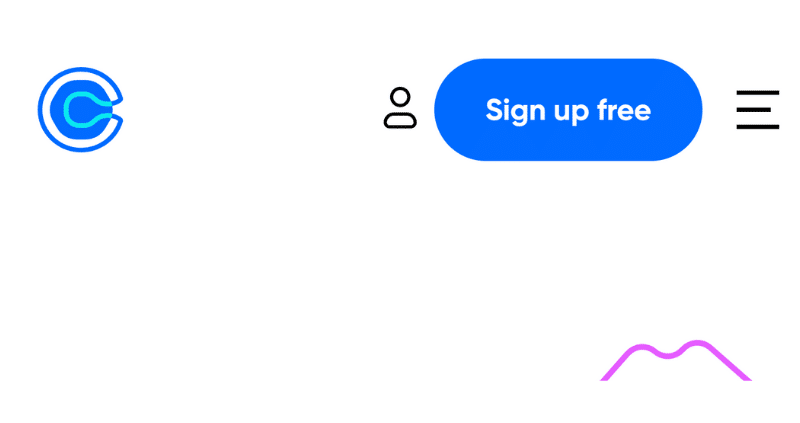
- Click on the Sign Up Free button on the right upper corner of your screen
- Create a new account or sign up with your existed Google account (this will automatically sync your Google Calendar with Calendly)
How to set up the Calendly calendar?
Setting up your Calendly account is pretty quick. We created handy steps to walk you through. So, check these tips, and your account should be ready in no time.
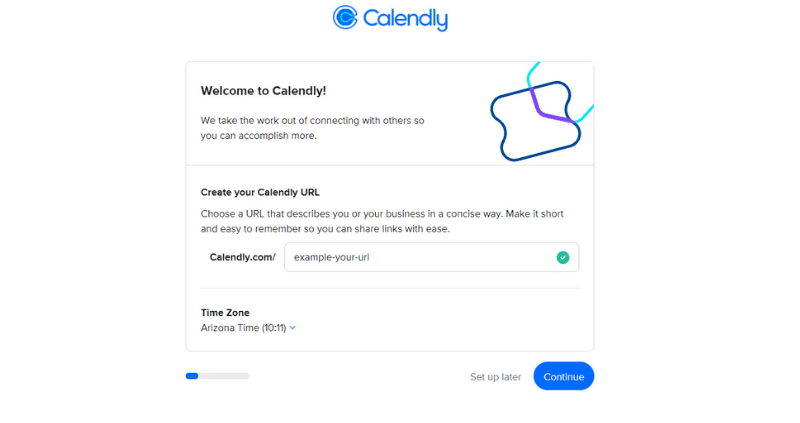
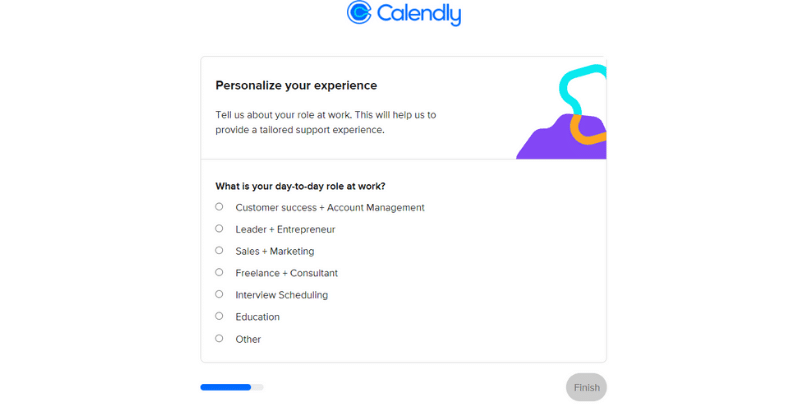
Set your time zone and URL. This step ensures you have created a professionally-looking Calendly URL. So, try to think of something that matches your business. Also, pick up the correct time zone. This should be automatically adjusted to your current time zone, but it doesn't hurt to double-check.
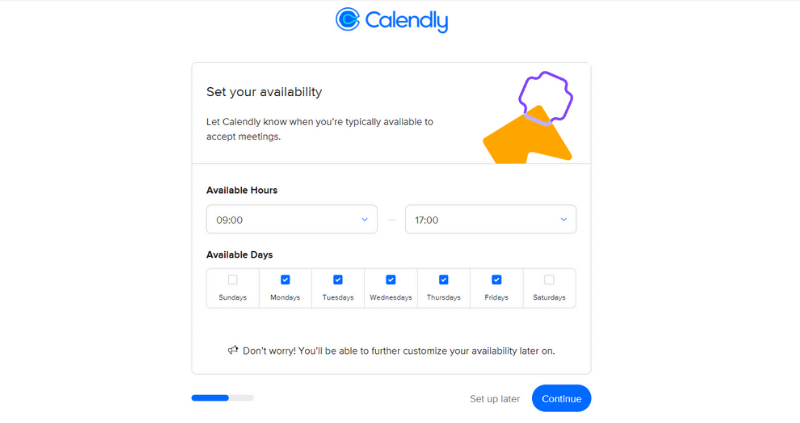
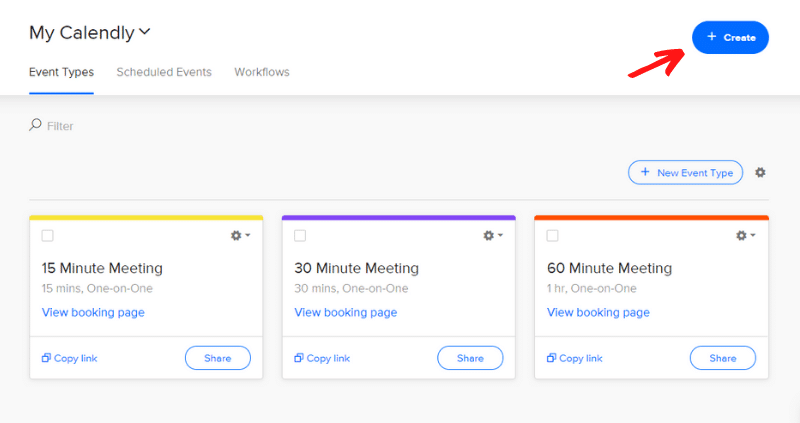
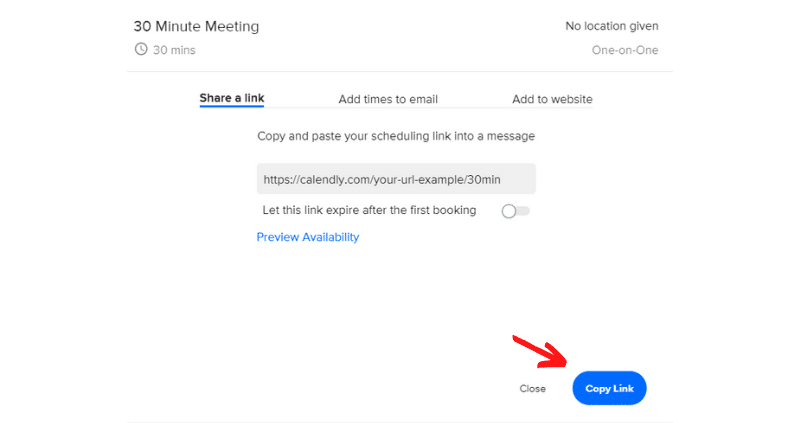
Share your Event link. This is the final step in your Calendly setup process. Once you've chosen some pre-made events or created your own, you should copy and share your event link. To do this, simply click on the Copy Link button and share it with the person you want to meet with.
What is the price range for Calendly monthly plans?
The monthly price range for Calendly services goes from $8 (Premium plan) to $15 (Pro plan). We assume the price for the Enterprise plan can be higher than the mentioned ones, so contact the Calendly sales team for more information.
What type of industries is Calendly best for?
Calendly is a handy app for anyone that schedules meetings often. Both big or small companies and individuals can benefit from this software. Calendly is also used by sales teams, entrepreneurs, and recruiters. It can be beneficial for job interviews with candidates. So, you can use Calendly to meet candidates your ATS collected for you. Sounds like a dream team!
Related Articles:
We build hiring software for growing businesses and write about what we see working across 5,000+ of them. More from the blog
Keep reading
The top 7 task management tools you can use in 2026 are varied and…
Read thisGusto is an on-demand service for payroll, benefits, and HR management. It makes it…
Read thisHousecall Pro is a business solution application. It's cloud-based software that helps home service…
Read thisStart hiring the smart way with AvaHR.
Post to every board in one click, score every applicant, and decide together. Trusted by 5,000+ growing businesses.